

How to Speak on Virtual Calls: 5 Tips for Confident Zoom Presentations


Virtual calls are now a standard part of professional life. Whether you are leading a meeting, interviewing, or pitching to clients, how you speak on screen directly shapes how people see your confidence and credibility.
The challenge is that virtual speaking is different from being in a room. You miss natural audience reactions, face technical distractions, and often end up talking too fast. With the right strategies, you can adapt and come across as clear, confident, and engaging. Here are five tips to help you shine on Zoom and other platforms.
1. Prepare Your Environment
Your setup shapes impressions before you say a word. Poor lighting, muffled audio, or a messy background can distract your audience before you even get to your message. The environment should never compete with your words.
Tip: Face natural light or use a lamp, use a quality mic or earbuds, and keep your background simple. A clean, well-lit setup makes you instantly more credible. If you use a virtual background, avoid busy or unrealistic ones that look cheap. A subtle blur usually works better and keeps the focus on you.
2. Make Eye Contact with the Camera
On Zoom, connection comes through the webcam. Looking only at the faces on your screen makes it seem like you are avoiding eye contact. While it may feel unnatural, learning to treat the camera as your audience helps you build trust and engagement.
Tip: Position the video window near your camera so your gaze is close to the lens, and glance up often. For your key points, look directly into the lens. This small adjustment makes your delivery feel personal and directed to every listener.
3. Use Pauses to Control Your Pace
Many people rush on virtual calls to avoid silence, but this often makes you sound nervous and increases filler words like “um” or “you know.” A well-placed pause creates space for your message to land and shows confidence. It also prevents you from running out of breath mid-sentence, which can weaken your voice.
Tip: Pause for two to three seconds after key points, then continue. Replace fillers with silence and let the moment breathe. If pacing is tough, see our guide on Why You Speak Too Fast (and How to Fix It).
4. Keep Your Body Language Engaged
Even on camera, your body language communicates as much as your words. Slouching or sitting too far from the screen makes you appear disengaged, while leaning in slightly and using open gestures shows confidence. People also notice micro-expressions. A frown or blank look can change how your words are received.
Tip: Sit upright, lean in slightly, and keep hands visible to emphasize points. Smile when appropriate and nod occasionally to show you are listening. Avoid crossing arms, slouching, or staring off-screen, all of which can make you appear distracted or unprepared.
5. Practice in a Realistic Setting
Confidence grows with exposure to the real conditions you will face. Reading from notes or rehearsing in silence does not prepare you for the unique pressures of a live call. To truly improve, you need to simulate the environment where performance counts.
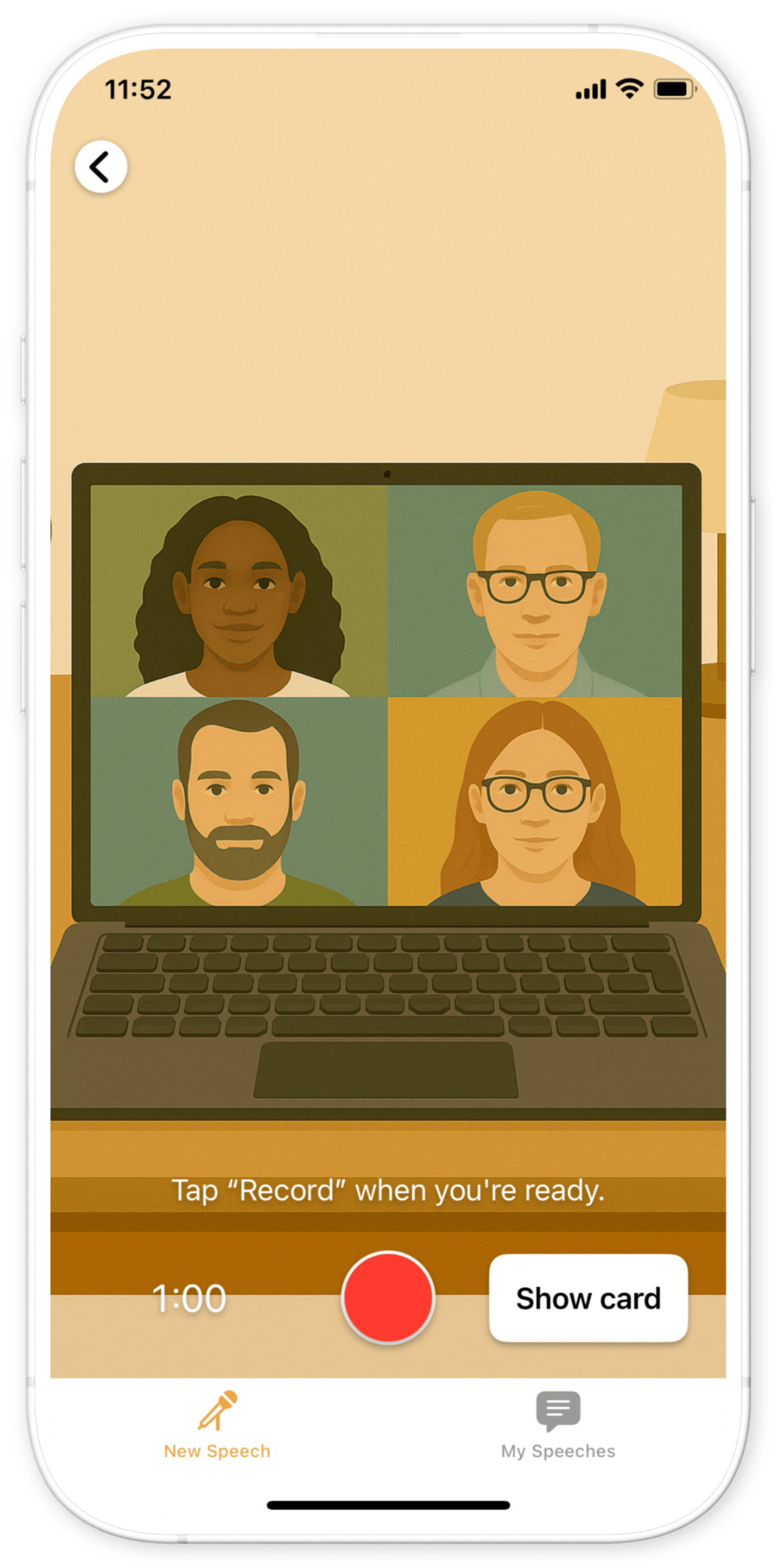
Tip: Rehearse on Zoom with a friend or colleague to replicate the experience. Record yourself to notice habits you might overlook, such as speaking too quickly or drifting off-camera. Tools like Babli let you practice in simulated virtual meetings of all kinds. You can try scenarios as a team leader addressing colleagues, as a CEO presenting strategy, or as a candidate answering tough interview questions. Babli gives you detailed feedback on content, pace, filler words, and delivery so the real call feels like a repeat performance instead of a test.
Key Takeaway
Speaking confidently on virtual calls is not about removing nerves, but managing them. By preparing your setup, using eye contact, pausing, keeping body language strong, and practicing in realistic conditions, you can stand out in any Zoom meeting.
With Babli, you can sharpen your skills across different virtual scenarios and step into real calls already prepared, confident, and in control.
You should also read:

How to Speak Like a Leader: 5 Communication Habits That Inspire Confidence
Leaders are remembered not just for the decisions they make but for how they communicate them. The ability to speak clearly, confidently, and with authority is what turns ideas into action and teams into movements. Speaking like a leader does not mean copying someone else’s…
Continue reading...
5 Steps to Overcome Public Speaking Anxiety and Speak with Confidence
Public speaking anxiety is one of the most common fears people face. The difference between anxious speakers and confident ones is not the absence of nerves but the ability to manage them. Confidence comes from training your body and mind to respond differently when you…
Continue reading...
How to Practice Public Speaking at Home: 5 Simple Exercises That Work
Public speaking is one of those skills that almost everyone wants to improve, but few people get the chance to practice regularly. You might have a big presentation coming up, a wedding toast to deliver, or just a desire to feel more confident when speaking…
Continue reading...